🚀 Step-by-Step Guide: Process on boarding in Case Service

This guide walks you through the process of container onboarding in Case Service, including Neutrinos BPM deployment, and API usage for process and case definition.


1. Create a Neutrinos BPM Flow

  1. Design the Case Flow:

    • Use your Neutrinos BPM designer to create the required flow for the case.
    • Ensure all tasks, rules, and decision points are configured properly.

  1. Save and Deploy the Flow:

    • Save the designed process.
    • Deploy the process to make it available for execution.
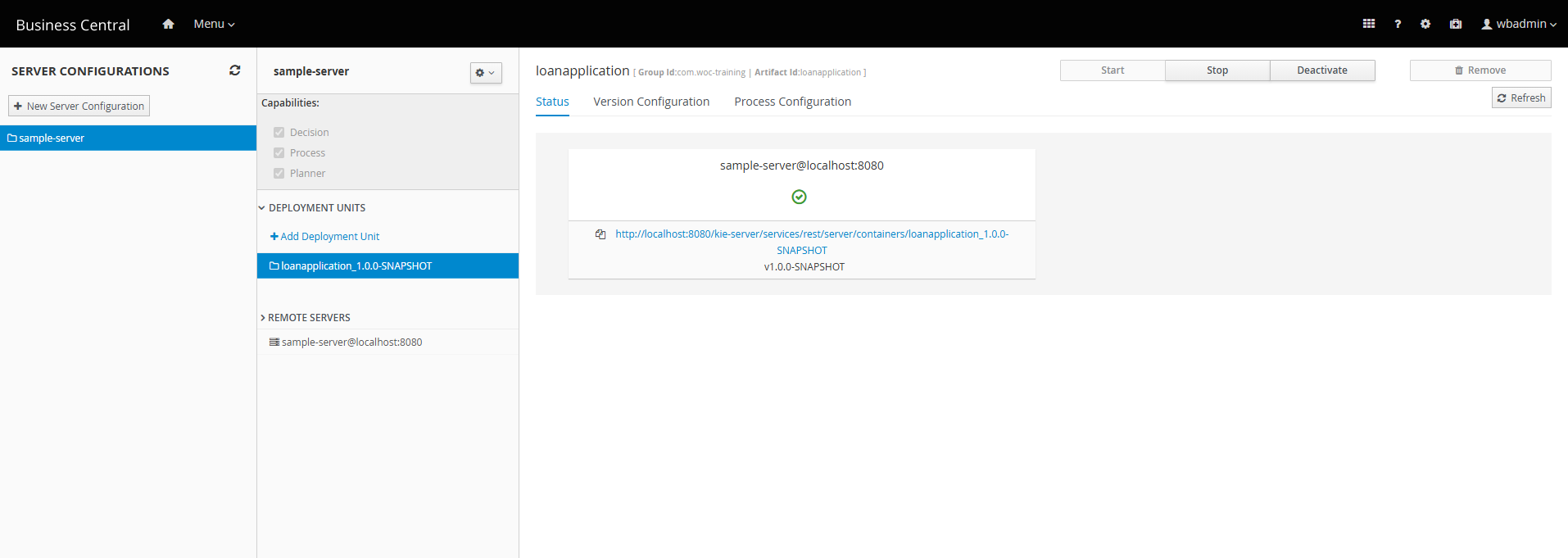
    • You could go to execution servers to check if the flow is deployed correctly.


2. Retrieve Deployment Details

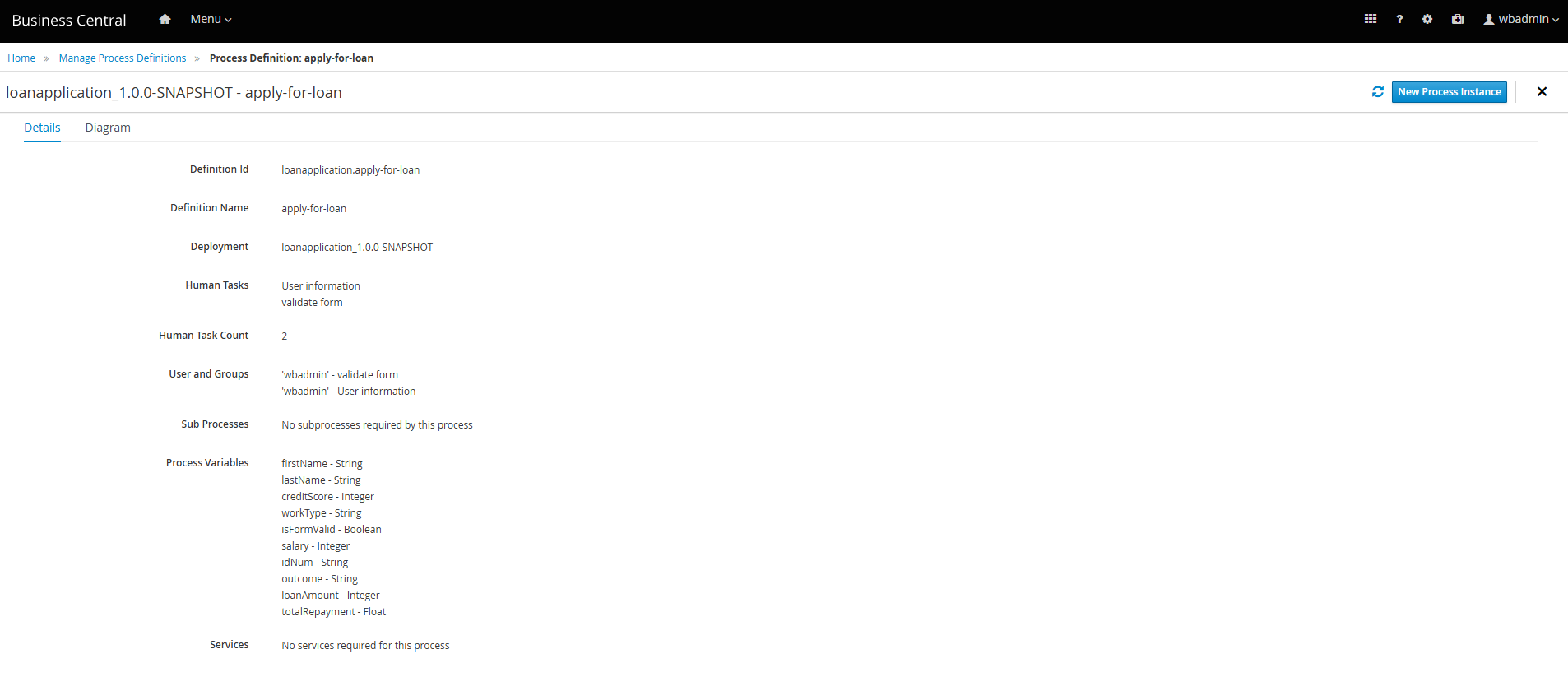
  1. Access Process Definitions:

    • Go to the Process Definitions section in your Neutrinos BPM dashboard.

  1. Note Down Identifiers:
  • Identify and note the Definition ID and Deployment. These details will be needed for invoking the BPM service.

3. Use the Bpm service API

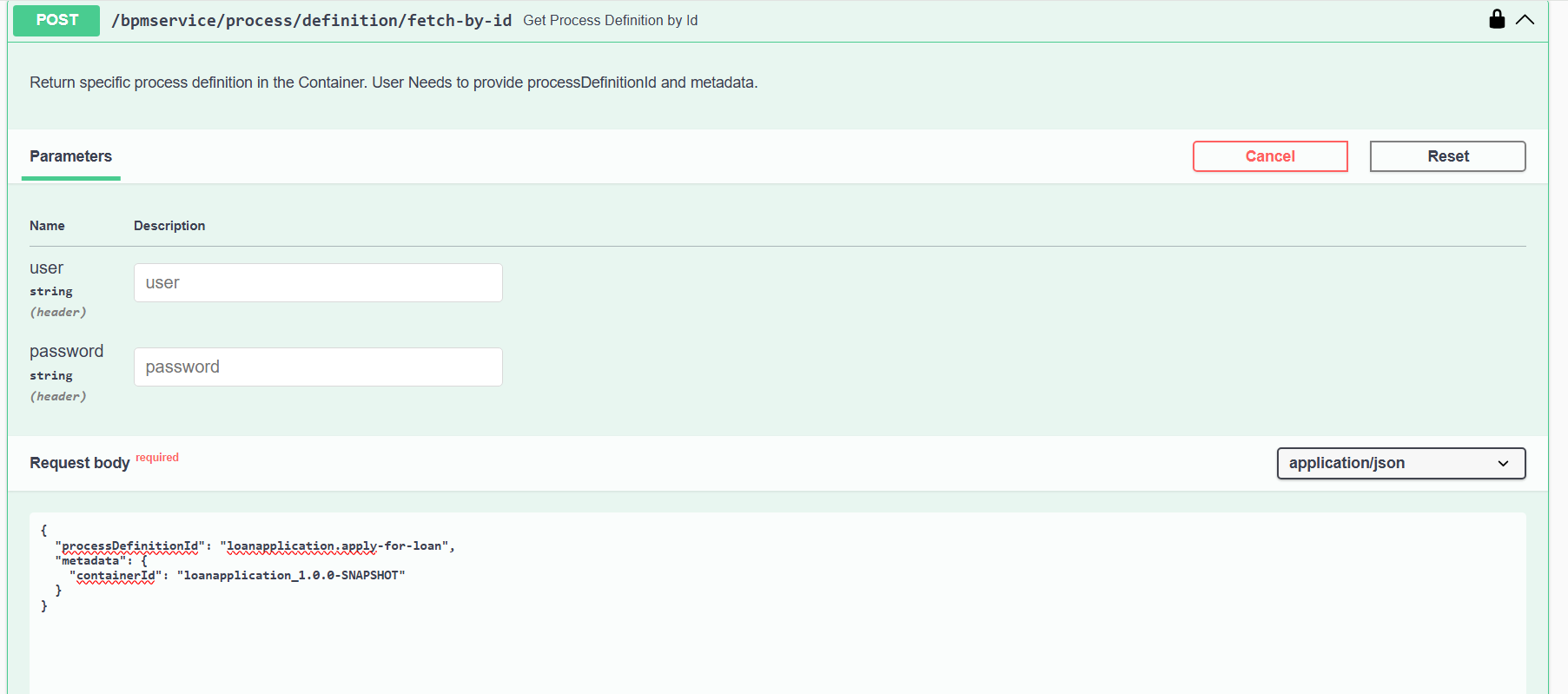
  1. Go to the api-docs of the bpmservice:
  • Use the following details:
    • processDefinitionId:
    • containerId:
  1. API Endpoint: ${DOMAIN}/bpmservice/api-docs#/Process%20Definition/ProcessDefinitionController_getById


4. Process Definition Creation and Case Definition

  1. API Response: Above API will return a response similar to this:
{
  "processName": "Registration Review",
  "processVersion": "1.0",
  "processDefinitionId": "create-case.RegistrationReview",
  "metadata": {
    "containerId": "create-case_1.0.0-SNAPSHOT",
    "variables": null,
    "reusableSubProcesses": null,
    "nodes": null,
    "timers": null,
    "tagsByVariable": null,
    "package": "com.myspace.create_case",
    "dynamic": false
  },
  "taskDefinitions": [
    {
      "taskName": "Registration",
      "taskType": "Human Task",
      "metadata": {
        "owner": ["High"]
      }
    }
  ]
}

  1. Process Definition API:

    • Copy the above response.
    • Use the POST ${DOMAIN}/caseservice/process/definition/create API.
    • Paste the copied data and hit “Execute / Send”.

  1. Obtain pdid:

    • The API will return a pdid in the response.

Case Definition Creation:

  • Subprocess Handling:

    • If your case involves a subprocess:
      1. Follow the same step as above.
      2. Copy the Definition ID and Deployment.
      3. Get the process definition by its ID.
      4. Use the response to create the process definition for the subprocess.
  • Add the subprocess pdid to the subProccess array.

  • Use the obtained pdid to call the POST ${DOMAIN}/caseservice/case/definition/create API.

  • Example payload:

{
  "caseDefinitionSchema": {
    "caseSchema": {},
    "pdid": "<PASTE_PDID_HERE>",
    "subProccess": ["<SUBPROCESS_PDID>"],
    "active": true
  },
  "caseType": "claim_registration",
  "version": "string"
}

  • Replace:
    • <PASTE_PDID_HERE> with the pdid from the previous response.
    • <SUBPROCESS_PDID> with subprocess IDs, if applicable.
    • Add a unique caseType (e.g., claim_registration).

  1. Case definition response
  2. After completing these steps, you will successfully create a case using the specified case type.

Using the casetype, call the POST ${DOMAIN}/caseservice/case/instance/create

For creating a case.


Feel free to ask questions or share feedback below! :light_bulb:

8 Likes


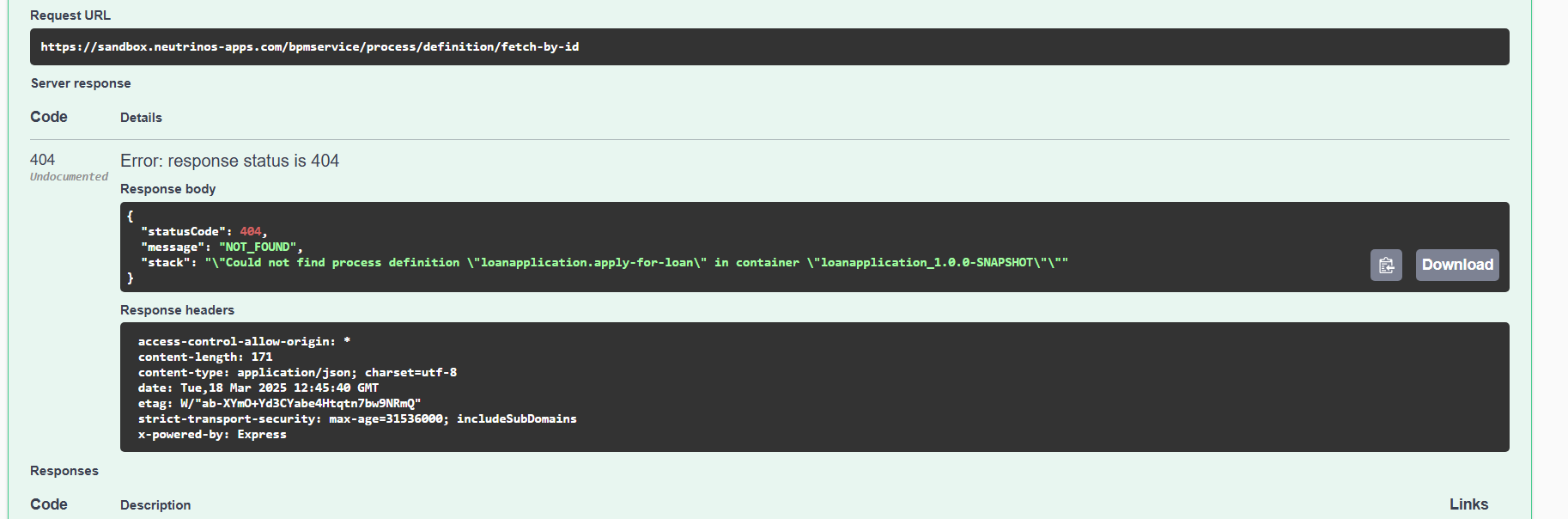
Am following this steps but i get the 404 error. please assist.

5 Likes

@gaurav.pandey @vaibhav @Irfan_Ali can you please help

1 Like

@Edward_Mokhabukhi You might be trying to fetch the definition from a different environment. Can you specify which environment your BPM flow is in? Make sure it is in the same environment.

4 Likes

I am currently running jBPM in my local environment, but it seems my request was attempting to fetch the process definition from a remote KIE Server. After following your guidance and using the sandbox BPM, everything worked perfectly. Thank you, Shamnad!.

5 Likes

Hi @Shamnad_KS , @Jastin_KJ , @Sam in step 4 at Process Definition API what token we using in here cause I using token from this api https://sandbox-ids.neutrinos-apps.com/token

But when I using that token for api https://alpha-pt.neutrinos-apps.com/caseservice/process/definition/create it just return 401
{
“status”: “error”,
“statusCode”: 401,
“error”: {
“code”: “UNAUTHORIZED”,
“message”: “Invalid authorization”,
“details”: null
}
}

Please try the same curl in postman with the token

sorry @Sam I post missing some information what I mean it when I using token from https://sandbox-ids.neutrinos-apps.com/token for API https://alpha-pt.neutrinos-apps.com/caseservice/process/definition/create it just return 401 like img below here

Please check your inbox

Ok @Sam I can access token now but I have another issue when I call API I https://alpha-pt.neutrinos-apps.com/caseservice/process/definition/create with body I get from API https://alpha-pt.neutrinos-apps.com/bpmservice/process/definition/fetch-by-id but it return 500 with message like img below here

It seems the issue might be due to pending migration for the new platform. We will verify this with the team and keep you updated.

pls check and response for me asap

Hello @LoiHC ,
Your PDID is 1, so there is no need to create the process definition again. You only need to create the case definition.

Hi @Sam , I create the case definition by call API https://alpha-pt.neutrinos-apps.com/caseservice/case/instance/create?branch=feature%2FAPS-1234 but it return 500 pls help me to check them I send a cUrl of API in your inbox

Could you please share your casetype?

This api is for the case instance creation . Have you created the case definition using the corresponding API?
Swagger UI

yes I already created the case definition and have cdid from that api but when I go to next step to create case instance creation it return 500. pls support me

I can see that there is no case definition created for this case type in the main branch. Please create the case definition in the main branch and proceed to create the case there as well.

Hi @Sam so I switch to main branch and when I create case definition it say duplicate key value but when I move to create case instance it say don’t have my case definition like img below here. Pls help me check them

Could you please change the BPM version and perform the onboarding again?