# SSD - Unable to connect SQL in SSD server service
**URL:** https://community.neutrinos.com/t/ssd-unable-to-connect-sql-in-ssd-server-service/884
**Category:** Training, Academy & Certifications
**Tags:** neutrinos-ssd
**Created:** [June 30, 2025, 5:11am UTC](https://community.neutrinos.com/t/ssd-unable-to-connect-sql-in-ssd-server-service/884 "2025-06-30T05:11:12Z")
**Posts on this page:** 6
**Page:** 1
### Author:  [@Vignesh-U](https://community.neutrinos.com/u/Vignesh-U)
#### Post date: [June 30, 2025, 5:11am UTC](https://community.neutrinos.com/t/ssd-unable-to-connect-sql-in-ssd-server-service/884/1 "2025-06-30T05:11:12Z")
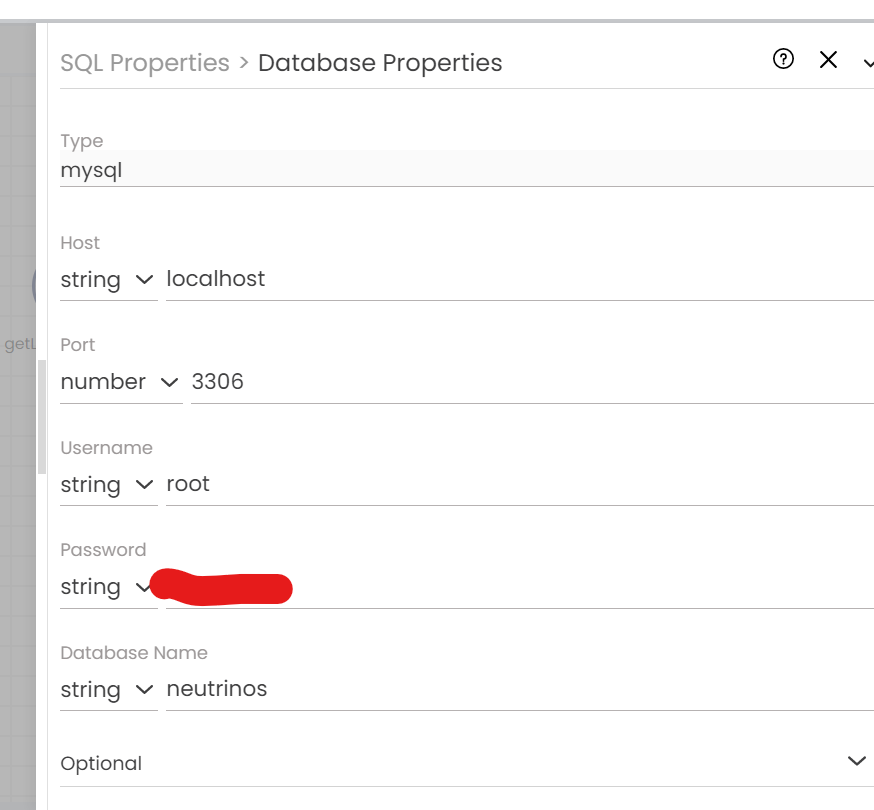
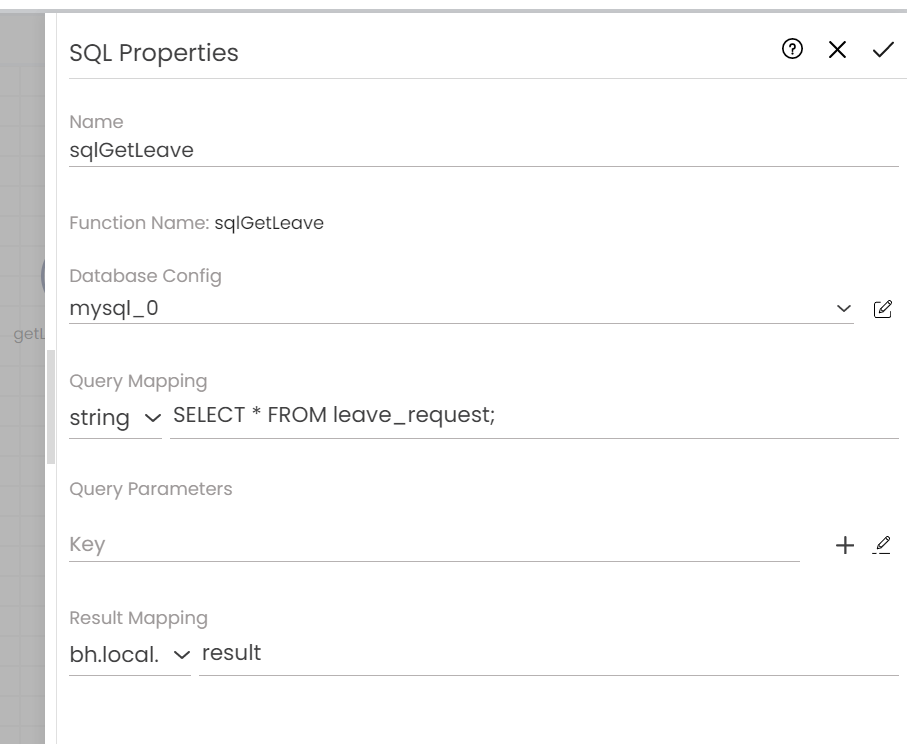
I tried to connect mysql locally in SSD but it is not working getting the below error a

I configured my SQL node as below
---
### Author:  [@Eldho](https://community.neutrinos.com/u/Eldho)
#### Post date: [June 30, 2025, 5:20am UTC](https://community.neutrinos.com/t/ssd-unable-to-connect-sql-in-ssd-server-service/884/2 "2025-06-30T05:20:58Z")
@Muhseena_T @Sarath @Shamnad_KS @Simphiwe please help
---
### Author:  [@Vyshnav\_PC](https://community.neutrinos.com/u/Vyshnav_PC)
#### Post date: [June 30, 2025, 9:26am UTC](https://community.neutrinos.com/t/ssd-unable-to-connect-sql-in-ssd-server-service/884/3 "2025-06-30T09:26:05Z")
HI @Vignesh-U
Please try connecting to the database using a client tool like pgAdmin to verify if the connection can be established successfully. This will help determine whether the issue is with the database itself or with the application’s connection settings.
---
### Author:  [@Vignesh-U](https://community.neutrinos.com/u/Vignesh-U)
#### Post date: [June 30, 2025, 10:45am UTC](https://community.neutrinos.com/t/ssd-unable-to-connect-sql-in-ssd-server-service/884/4 "2025-06-30T10:45:16Z")
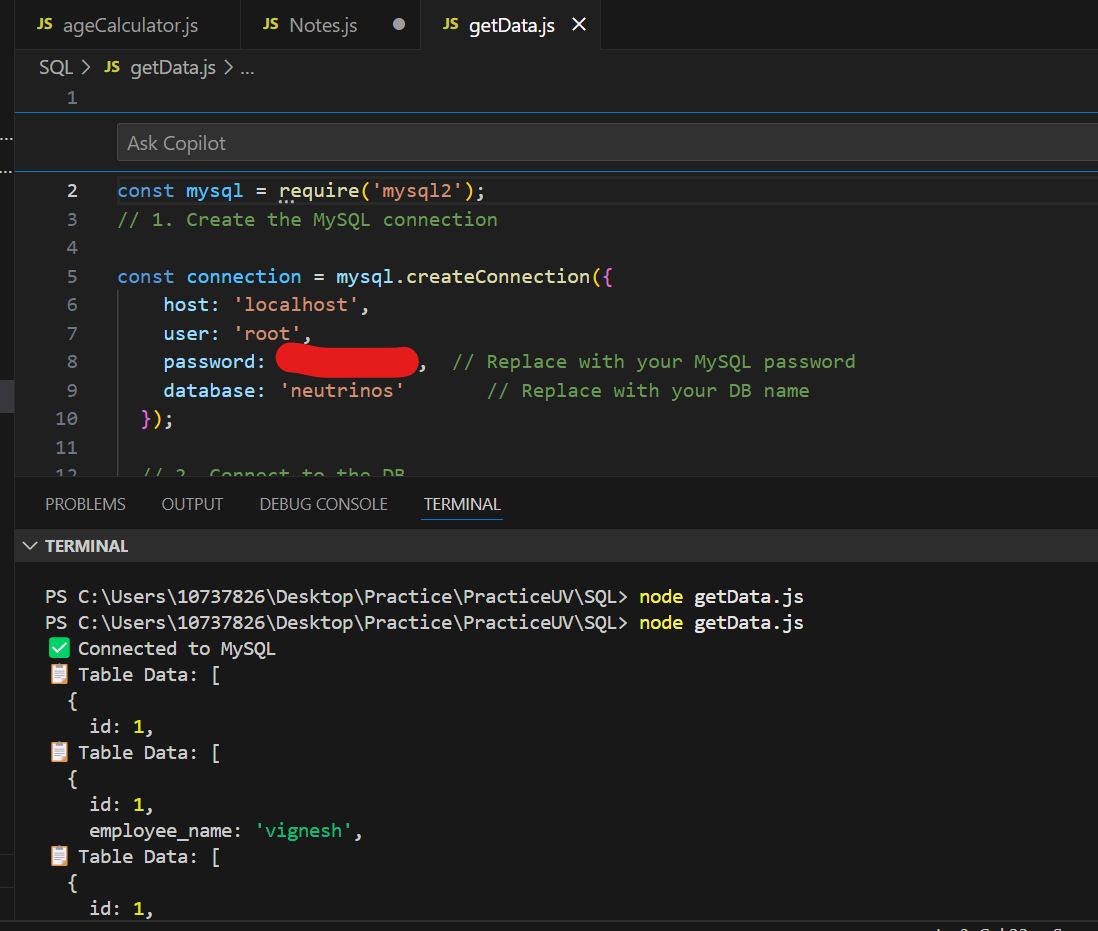
Hi @Vyshnav_PC It’s not problem with db because, I tried to establish the same with nodeJs and I am able to get the data successfully from DB.
It is not working in SSD only.
---
### Author:  [@Sam](https://community.neutrinos.com/u/Sam)
#### Post date: [July 1, 2025, 1:55pm UTC](https://community.neutrinos.com/t/ssd-unable-to-connect-sql-in-ssd-server-service/884/5 "2025-07-01T13:55:48Z")
Hello @Vignesh-U ,
Could you please configure your database using the data model approach in studio?
---
### Author:  [@Sam](https://community.neutrinos.com/u/Sam)
#### Post date: [July 2, 2025, 4:20am UTC](https://community.neutrinos.com/t/ssd-unable-to-connect-sql-in-ssd-server-service/884/6 "2025-07-02T04:20:03Z")
Steps you need to be taken:
- Open the **Data Model** section from the left panel.
- When you create a file, it will prompt you to create a database connection.
- Select **Database** , and add a new DB with all your MySQL connection details.
- Then, add the entity by specifying your table name and key field.
- On your page, select the **DB Operation** node from the **Data Model** section and choose your desired action (e.g., insert, find).
- Run and test your flow.