Hi @sam ,
I’m trying to save the logged-in username (for example, admin ) in the audit table. I’m getting the user details from the session, but instead of the username, it’s saving [object Object] . Can anyone help me understand how to get only the username from the session?
Regards.
Sam
June 29, 2026, 4:50am
82
@Hemnath Can you share the ss of configuration done in http node ??
Yeah, I have configured that but the thing the approach is right or not need to check.
Sam
June 29, 2026, 5:35am
84
Could you please add the following console logs and share the output?
console.log('userInfo:', JSON.stringify(session.data.userInfo));
or
console.log(session.data.userInfo);
console.log(session.data.userInfo.username);
console.log(typeof session.data.userInfo.username);
Additionally, could you use the VS Code debugger to inspect the session.data.userInfo object and identify the root cause?
Hi @Sam
After starting both the backend and frontend, I usually access the application using the following URL:
“http://localhost:8086/api/login?redirectTo=http://localhost:8086”
After logging in, I manually change the URL to:
“http://localhost:4200/book_list”
Is this the correct way to run the application, or is there a recommended approach to access the frontend after login?
I have completed the Audit List functionality for recording audit entries during the following operations:
Create Book
Delete Book
Could you please guide me on how to implement audit logging for the Login and Logout operations as well?
I I am getting ID as an account ID
I Got in table
@Hariharan_J @Sam , i have created a new DB at Supabase, got their credentials and put those into of Neutrinos Studio(SSD)’s project database credentials but i’m getting issue of ERD Relative path not found, I tried multiple times but issue not getting resolve. Have a look on here.
Sam
July 30, 2026, 12:36pm
90
@rezmdna Please ensure that the credentials and configurations are correct. Additionally, we recommend using VS Code for debugging, as it provides better debugging capabilities and can help identify the root cause more effectively.
Title: Deployment Successful but Application URL Not Accessible (ERR_NAME_NOT_RESOLVED)
Description:
Hi Sam ,
I have successfully deployed my application and the deployment status is showing SUCCESS . The application status is also showing Running .
However, when I click on the generated application URL, the application is not opening. Instead, I get the following error:
Error: ERR_NAME_NOT_RESOLVED
Application URL:
https://motorclaimnashir.neutrinos-apps.com/api
Deployment Details:
Deployment Status: SUCCESS
Application Status: Running
Environment: runtime
Domain: neutrinos-apps.com
Subdomain: motorclaimnashir
Issue: The browser shows:
Hmmm... can't reach this page
motorclaimnashir.neutrinos-apps.com's server IP address could not be found.
ERR_NAME_NOT_RESOLVED
Could anyone please help me understand:
Is there any DNS propagation delay after deployment?
Do I need to perform any additional configuration for the URL/domain mapping?
Is there any issue with the generated subdomain or environment setup?
Any guidance would be appreciated.
Thanks.
Sam
August 7, 2026, 8:31am
92
@rezmdna can you please try now??
Hi @Sam frontend deploy and working fine ,but same issue is showing for backend also
Is there any DNS propagation delay after deployment?
Do I need to perform any additional configuration for the URL/domain mapping?
Is there any issue with the generated subdomain or environment setup?
Hi @Sam
Could you please have a look and let us know if there is any DNS propagation delay or if any additional configuration is required for the URL/domain mapping or generated subdomain/environment setup?
Your guidance would be appreciated.
Title: Deployment Successful but Application URL Not Accessible (ERR_NAME_NOT_RESOLVED)
Description:
Hi@Sam @NashitaAfrah @shas
Deployment Details:
However, when I try to access the generated application URL, the application does not open. Instead, I receive the following error:
motordamageclaimbackend.neutrinos-apps.com ’s server IP address could not be found
ERR_NAME_NOT_RESOLVED
From the deployment details page, the application appears to be deployed successfully and is in a running state.
Questions:
Is there any DNS propagation delay after deployment that I should wait for?
Do I need to perform any additional configuration for domain mapping or route setup?
Is there any issue with the generated subdomain or runtime environment configuration?
Has anyone encountered a similar issue with neutrinos-apps.com subdomains?
Screenshot Attached:
Any guidance or suggestions would be greatly appreciated.
Note: This issue is currently blocking our POC delivery and is time-critical. We would greatly appreciate any guidance or support at the earliest convenience to help us proceed with the planned delivery timeline.
Thanks,MD Nashir Reza
Sam
August 9, 2026, 9:28am
96
@rezmdna can you please try now??
Muni3
September 8, 2026, 6:00pm
97
Hi @Sam SSD Assignment - access IDS Authentication, in Neutrinos-Studio, there is no option to select IDS, could you please help
Sukanya
October 3, 2026, 10:49am
99
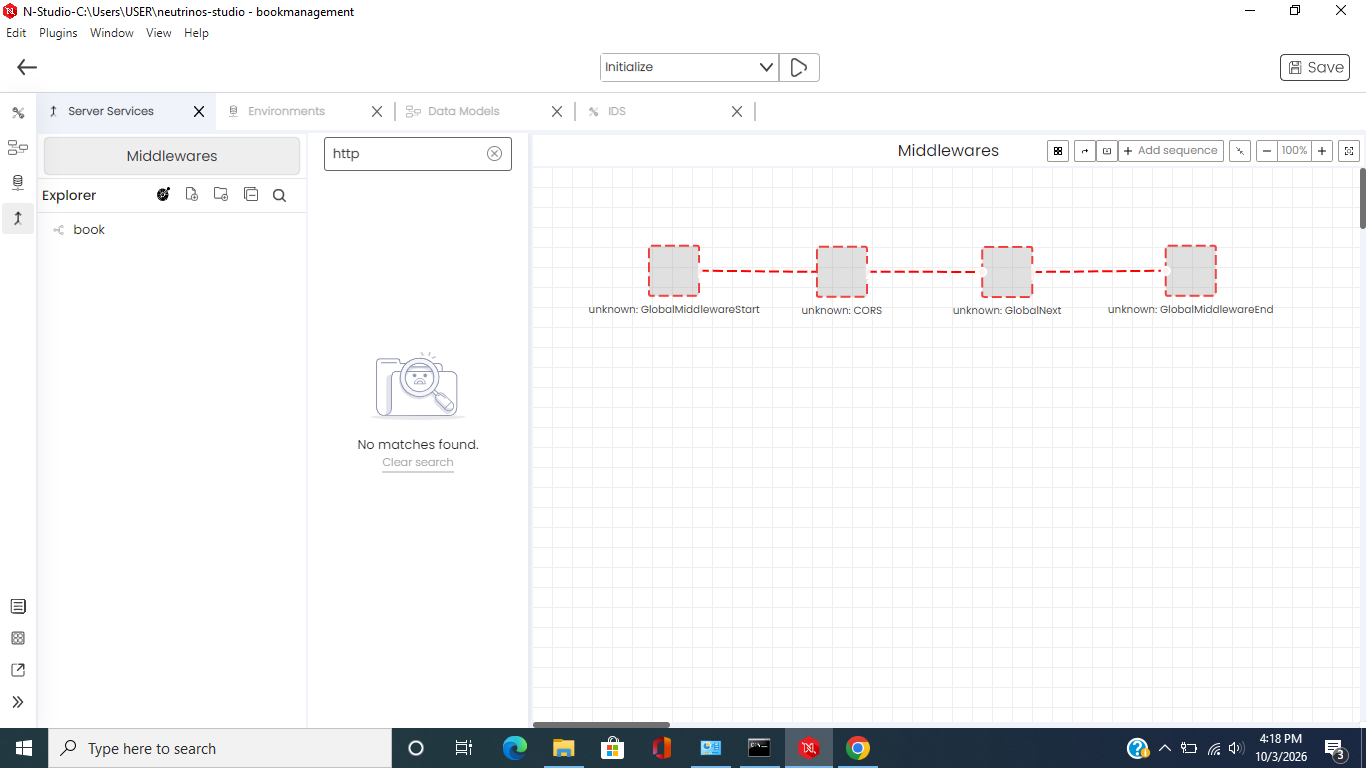
@Sam for my ssd assignment i not able to see any controls.
Sukanya
October 5, 2026, 5:43am
101
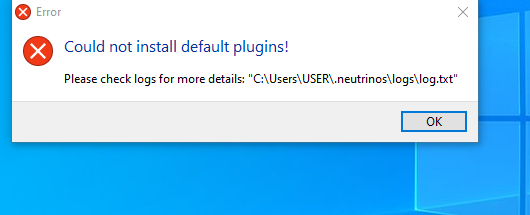
@Sam after removing .neutrinos folder getting the below error.