# Mapping API Response to a Table in the UI
**URL:** https://community.neutrinos.com/t/mapping-api-response-to-a-table-in-the-ui/1255
**Category:** Community
**Tags:** neutrinos-ssd, neutrinos-platform
**Created:** [September 11, 2025, 9:22am UTC](https://community.neutrinos.com/t/mapping-api-response-to-a-table-in-the-ui/1255 "2025-09-11T09:22:51Z")
**Posts on this page:** 3
**Page:** 1
### Author:  [@muhammedaslam](https://community.neutrinos.com/u/muhammedaslam)
#### Post date: [September 11, 2025, 9:22am UTC](https://community.neutrinos.com/t/mapping-api-response-to-a-table-in-the-ui/1255/1 "2025-09-11T09:22:51Z")
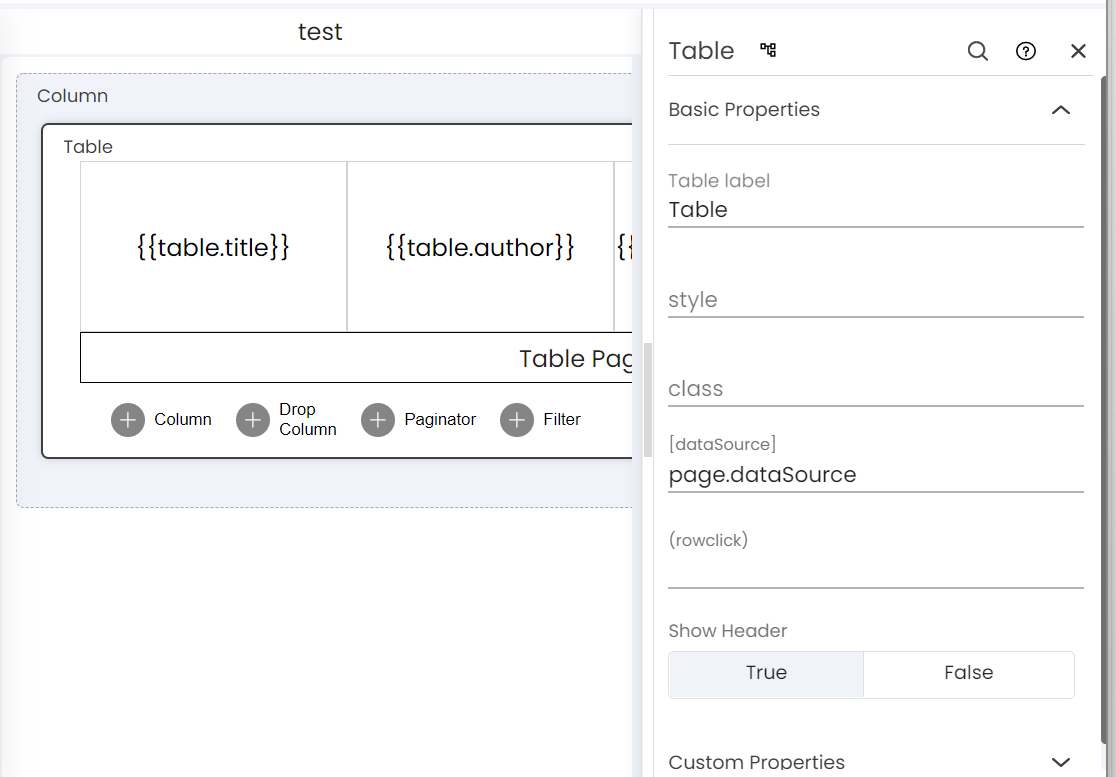
How can I map an API response to display in a table in the UI?
---
### Author:  [@harijp17](https://community.neutrinos.com/u/harijp17)
#### Post date: [September 11, 2025, 9:25am UTC](https://community.neutrinos.com/t/mapping-api-response-to-a-table-in-the-ui/1255/2 "2025-09-11T09:25:37Z")
Using the Page Variables node is a better approach for mapping response data in components, then display them in the UI using interpolation syntax like `{{page.example}}`.
---
### Author:  [@Simphiwe](https://community.neutrinos.com/u/Simphiwe)
#### Post date: [September 11, 2025, 9:43am UTC](https://community.neutrinos.com/t/mapping-api-response-to-a-table-in-the-ui/1255/3 "2025-09-11T09:43:49Z")
Hi @muhammedaslam,
Please refer to the image below.