# IDS Authentication Backend and Frontend Setup
**URL:** https://community.neutrinos.com/t/ids-authentication-backend-and-frontend-setup/1302
**Category:** Training, Academy & Certifications
**Tags:** neutrinos-ssd
**Created:** [September 15, 2025, 2:16pm UTC](https://community.neutrinos.com/t/ids-authentication-backend-and-frontend-setup/1302 "2025-09-15T14:16:26Z")
**Posts on this page:** 4
**Page:** 1
### Author:  [@JeevanKumar](https://community.neutrinos.com/u/JeevanKumar)
#### Post date: [September 15, 2025, 2:16pm UTC](https://community.neutrinos.com/t/ids-authentication-backend-and-frontend-setup/1302/1 "2025-09-15T14:16:26Z")
## backend
1. register IDS
1. enable toggle button
2. add application name
3. Select **Skip Team Check** if you want to allow external users to login without checking for the team through the Active Directory OAuth strategy.
4. Select **Skip Consent** if you already have an active session with the IDS and want the app to skip showing the IDS consent page.
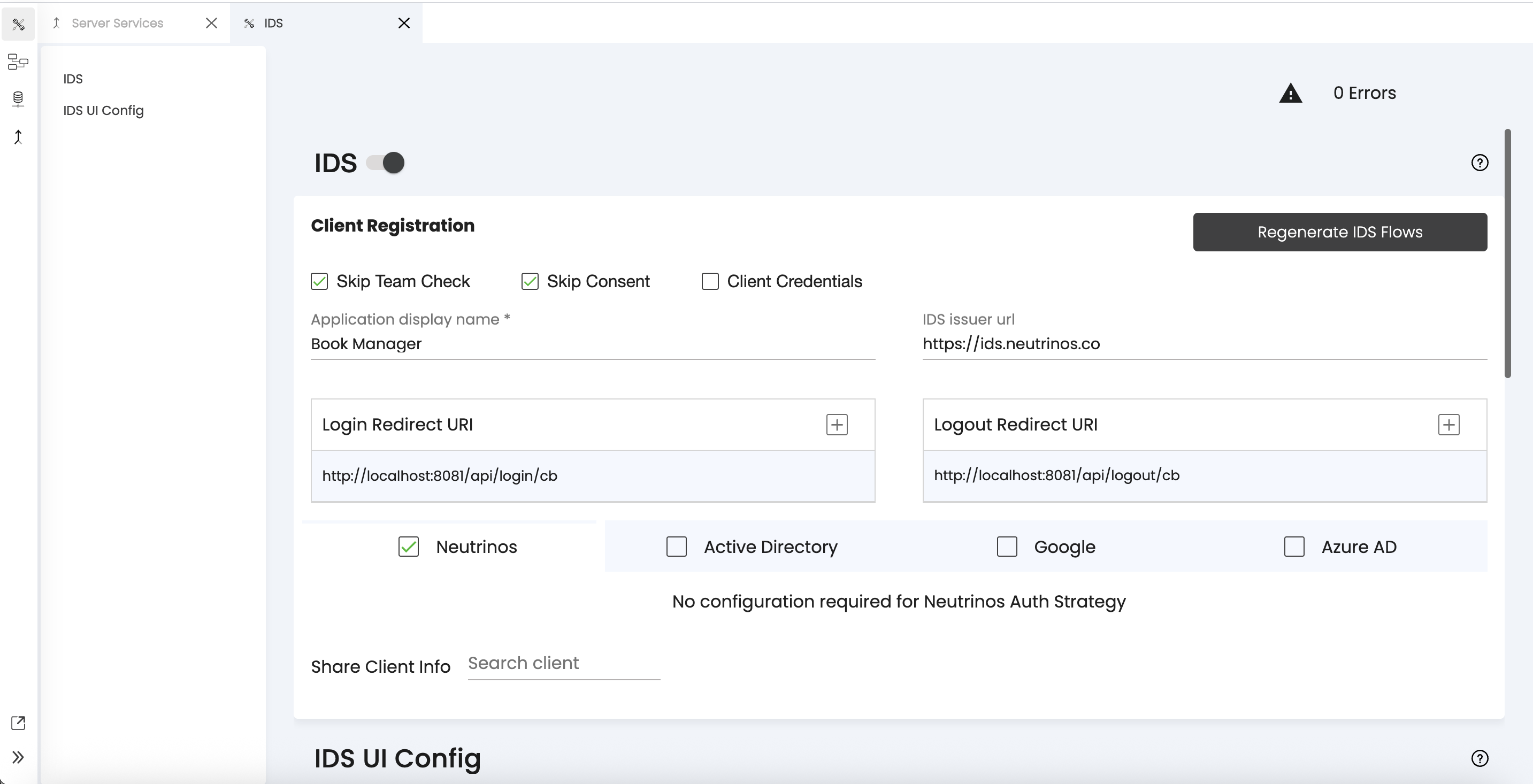
1. save
(ids and idsutil services will be generated)
(use IDSAuthorisedAPIs middleware in your routes)
## frontend
1. in Environments set `isIDSEnabled` as true.
2. import neutrinos-oauth-client
1. `npm i neutrinos-oauth-client`
2. use **Use Dependancy** node in `onInit` to import module.
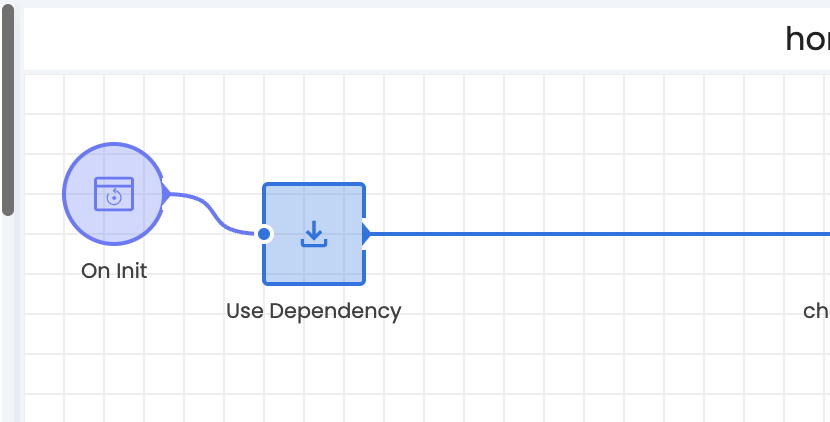
( This is the `onInit` of the page where you’re planning to call the `login()` and `logout()` methods.)
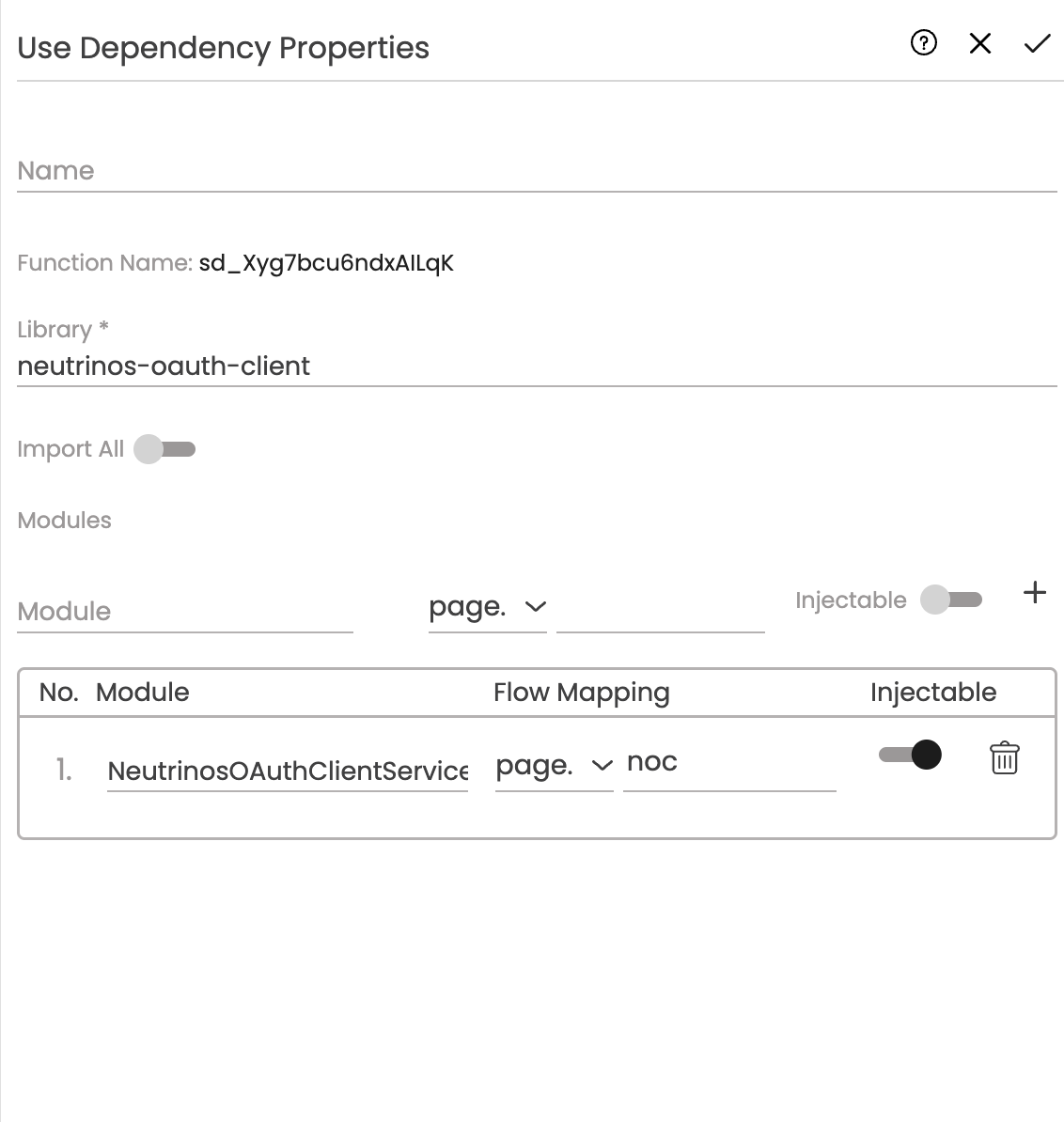
(make sure injectable toggle is on)
4. now we can use neutrinos-oauth-client modules methods anywhere in the page
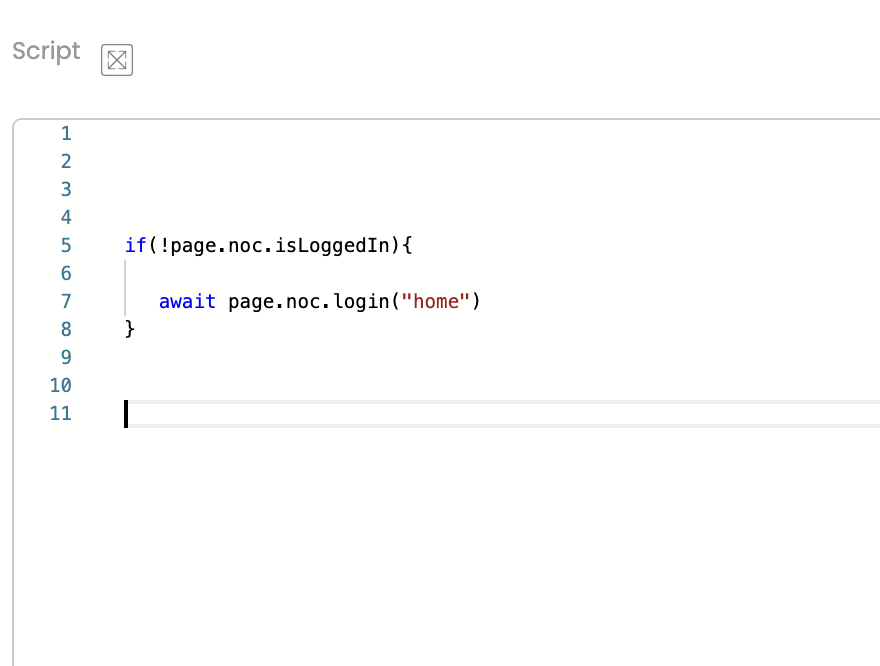
refer these documents
> **[Articles](https://documentation.neutrinos.com/articles/#!concepts-publication/neutrinos-oauth-module)**
> **[Articles](https://documentation.neutrinos.com/articles/#!studio-guide-8/configure-your-ids)**
---
### Author:  [@Sam](https://community.neutrinos.com/u/Sam)
#### Post date: [September 15, 2025, 2:46pm UTC](https://community.neutrinos.com/t/ids-authentication-backend-and-frontend-setup/1302/2 "2025-09-15T14:46:19Z")
Good work @JeevanKumar
---
### Author:  [@Eldho](https://community.neutrinos.com/u/Eldho)
#### Post date: [September 16, 2025, 6:31am UTC](https://community.neutrinos.com/t/ids-authentication-backend-and-frontend-setup/1302/3 "2025-09-16T06:31:07Z")
@JeevanKumar fantastic one
---
### Author:  [@Edward](https://community.neutrinos.com/u/Edward)
#### Post date: [November 10, 2025, 7:05am UTC](https://community.neutrinos.com/t/ids-authentication-backend-and-frontend-setup/1302/4 "2025-11-10T07:05:09Z")
Great documentation @JeevanKumar . Easy to understand.