# How to enable and perform task re-assignment for Group Tasks or Team Tasks?
**URL:** https://community.neutrinos.com/t/how-to-enable-and-perform-task-re-assignment-for-group-tasks-or-team-tasks/126
**Category:** New Feature Requests
**Tags:** neutrinos-alpha, alpha-release-notes
**Created:** [November 21, 2024, 3:31pm UTC](https://community.neutrinos.com/t/how-to-enable-and-perform-task-re-assignment-for-group-tasks-or-team-tasks/126 "2024-11-21T15:31:22Z")
**Posts on this page:** 3
**Page:** 1
### Author:  [@Gowtham\_Balram](https://community.neutrinos.com/u/Gowtham_Balram)
#### Post date: [November 21, 2024, 3:31pm UTC](https://community.neutrinos.com/t/how-to-enable-and-perform-task-re-assignment-for-group-tasks-or-team-tasks/126/1 "2024-11-21T15:31:23Z")
**How to perform task re-assignment**
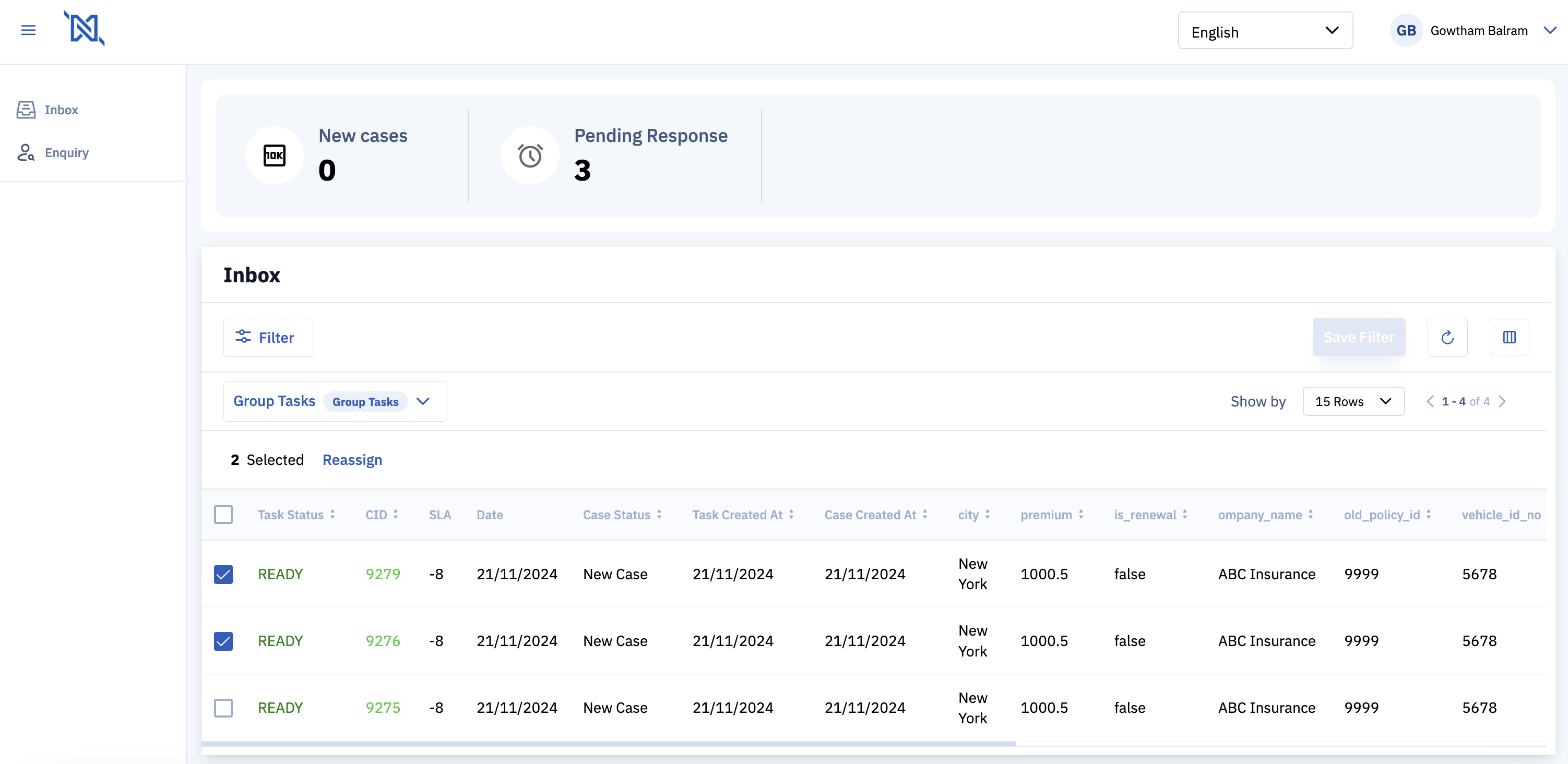
**1. Select Tasks for Re-assignment:**
- Open the Case Manager UI.
- From the Inbox Queues, choose Group Tasks or Team Tasks.
- Mark the tasks you want to reassign and click on the ‘Reassign’ button.
**2. Choose Re-assignment Method:**
- You will be directed to the Assignment page, where you can select the best candidates for the task through either Bulk Assignment or Individual Assignment.
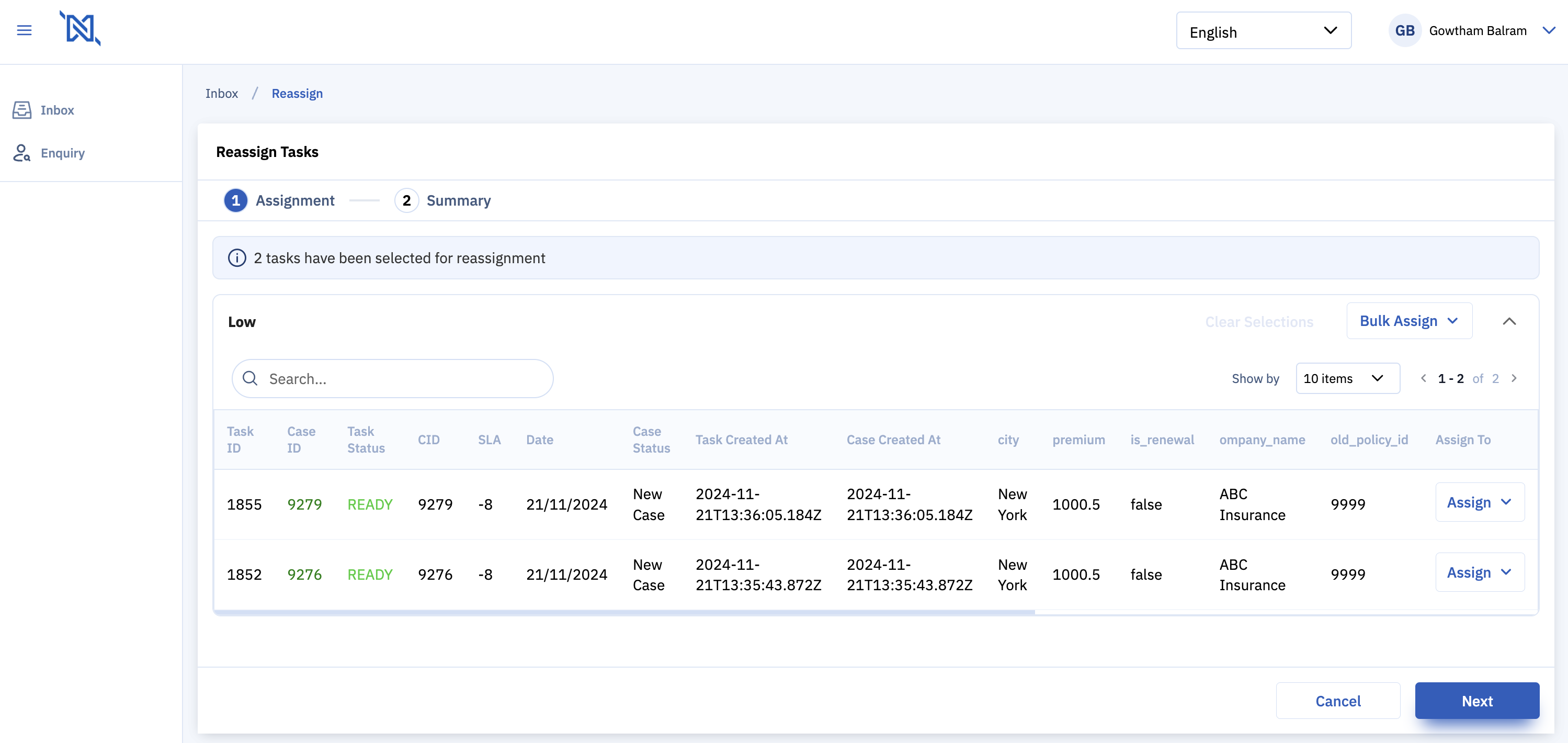
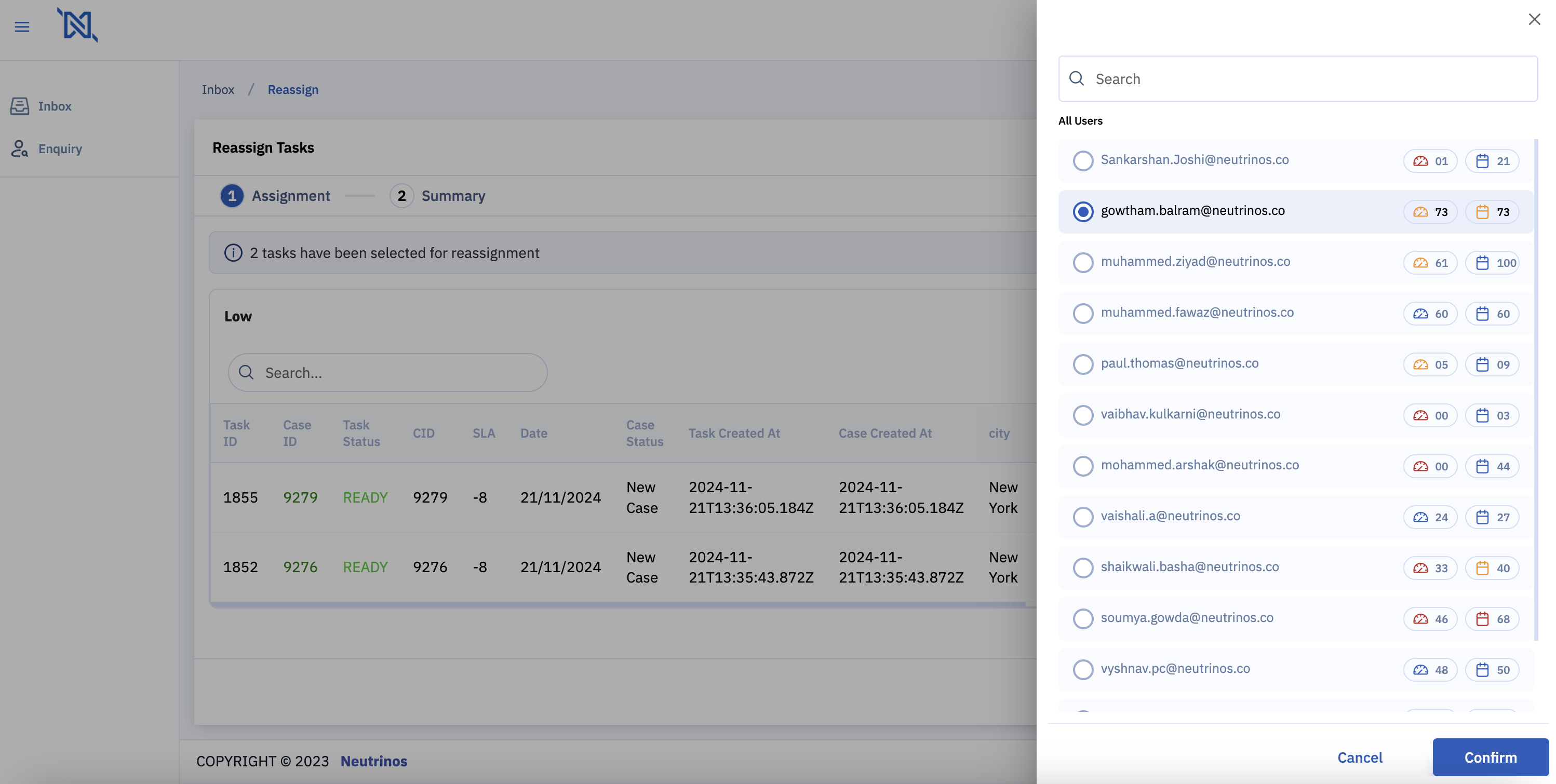
- Bulk Assignment:
- To assign all tasks within a group to one person, use the ‘Bulk Assign Option’.
- After selecting an individual, review their bandwidth and daily limits, then click ‘Confirm’ to proceed.
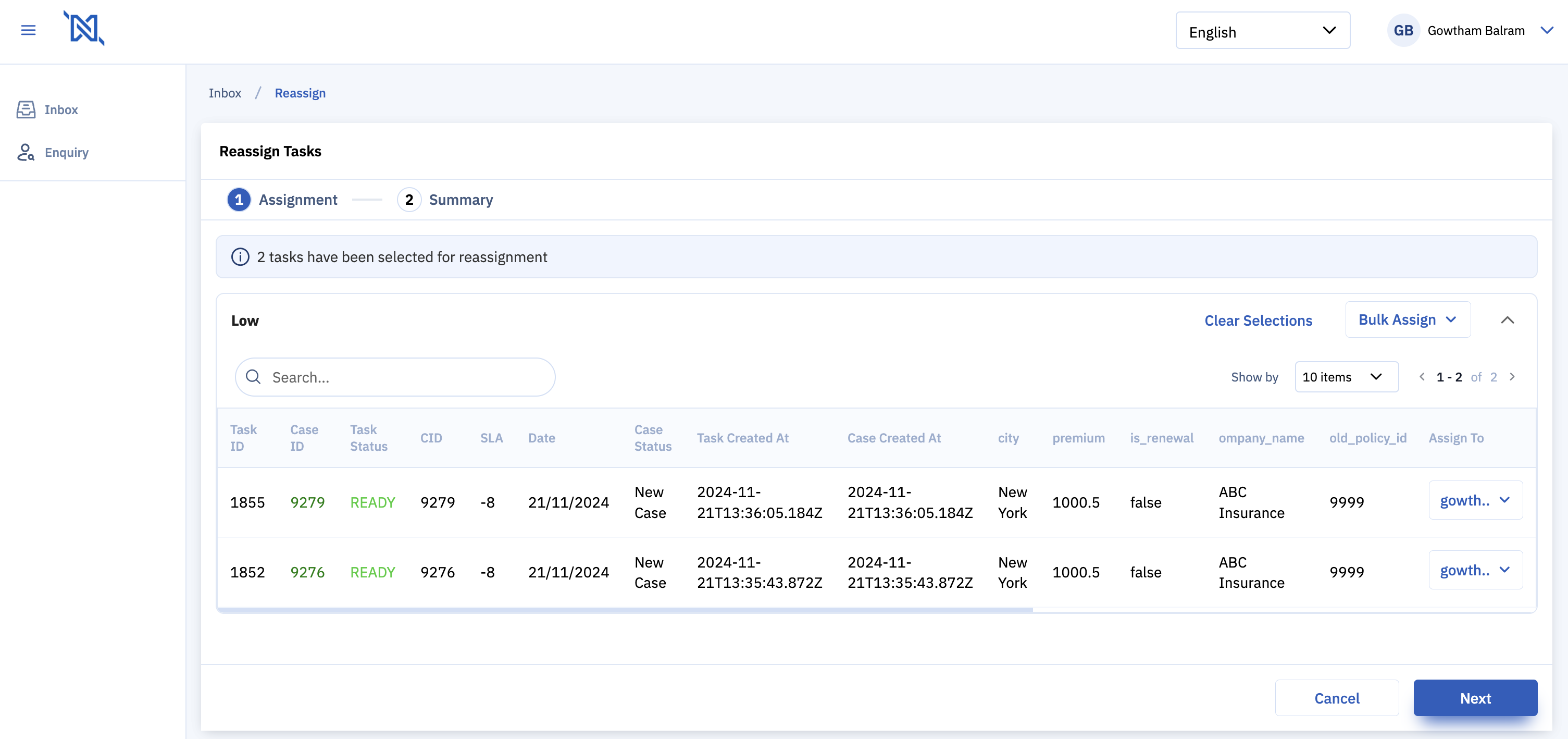
- Individual Assignment:
- For assigning tasks to different team members individually, use the ‘Assign To’ dropdown next to the task and select an individual.
**3. Review and Execute Assignment:**
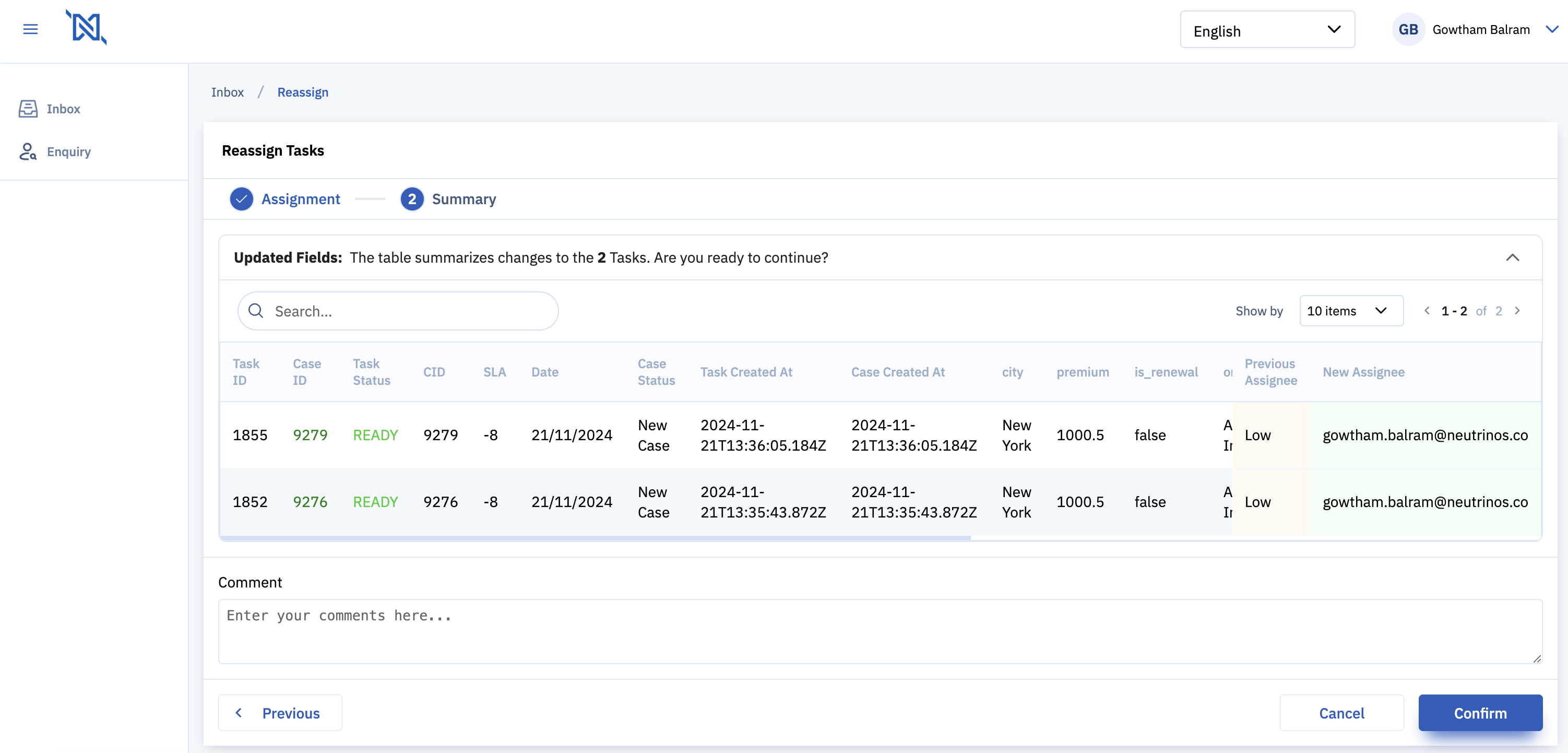
- Review the tasks on the summary screen, which shows current and future owners.
- Include any relevant comments to document the reason for re-assignment.
- If you wish to proceed, click ‘Confirm’. Otherwise, select ‘Cancel’ to return to the Inbox.
**4. Completion and Error Handling:**
- After confirmation, the system will execute the re-assignment.
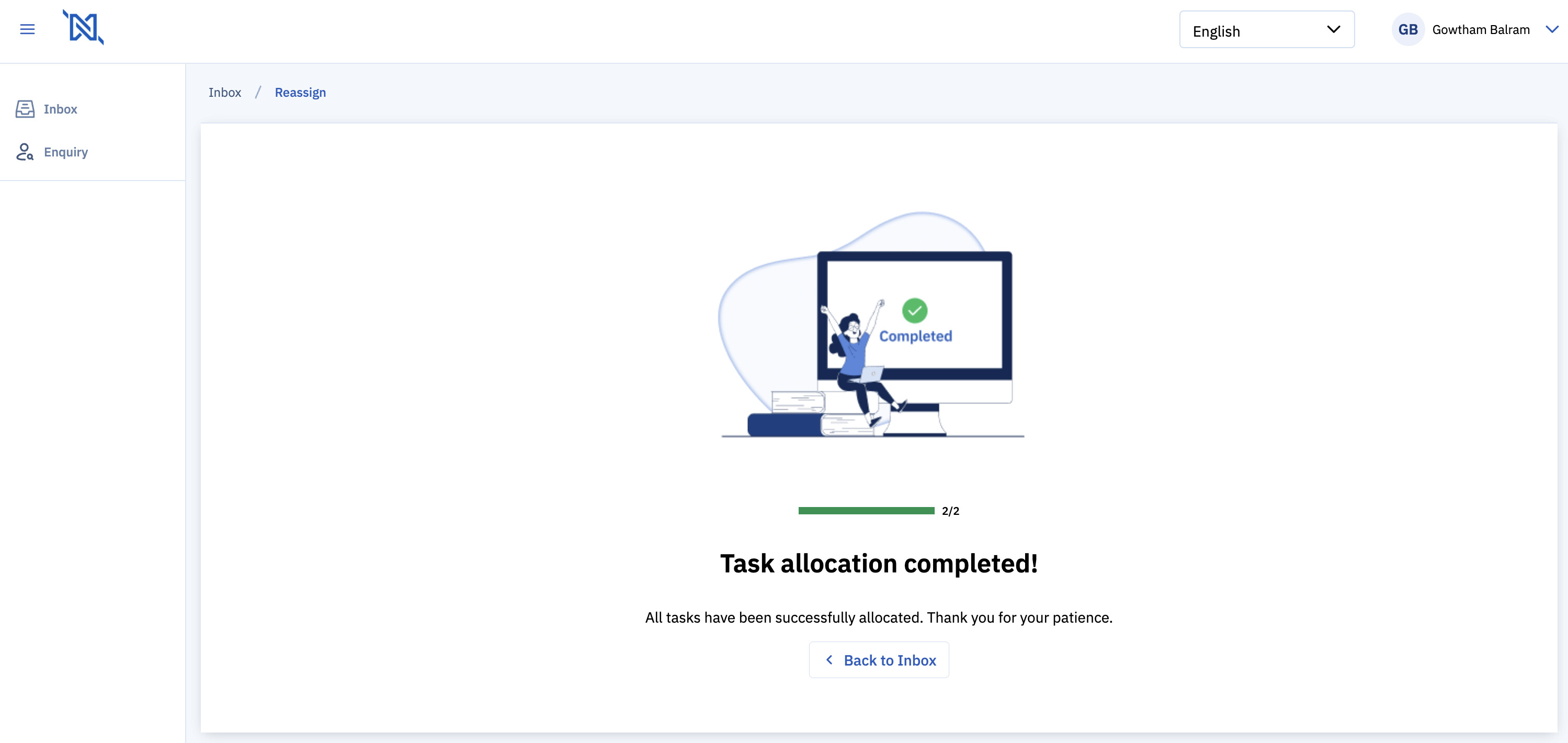
- Upon successful completion, a confirmation screen will display, with options to return to the Inbox.
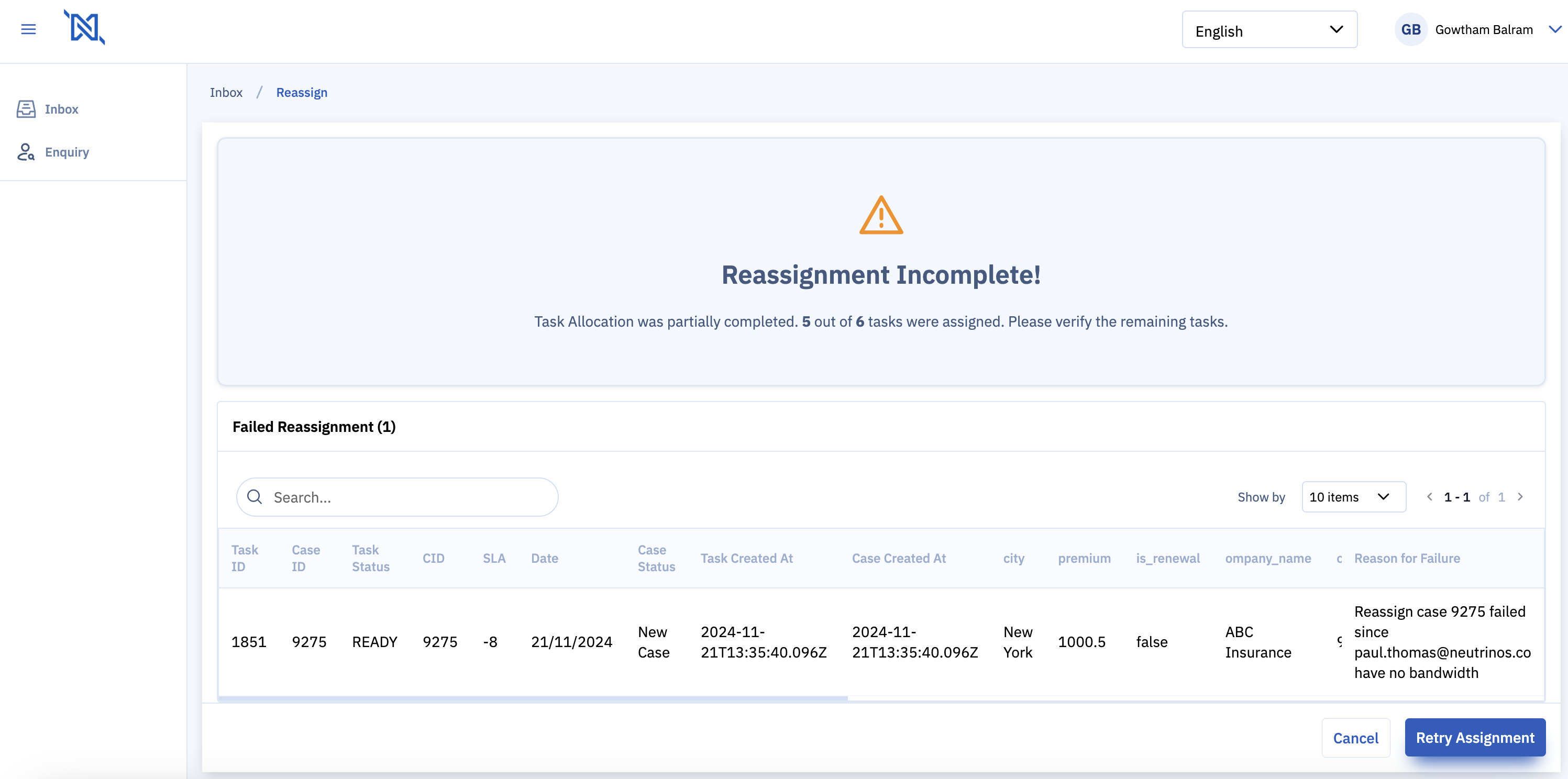
- If re-assignment is in-complete, an error message will show for the re-assignment failed tasks
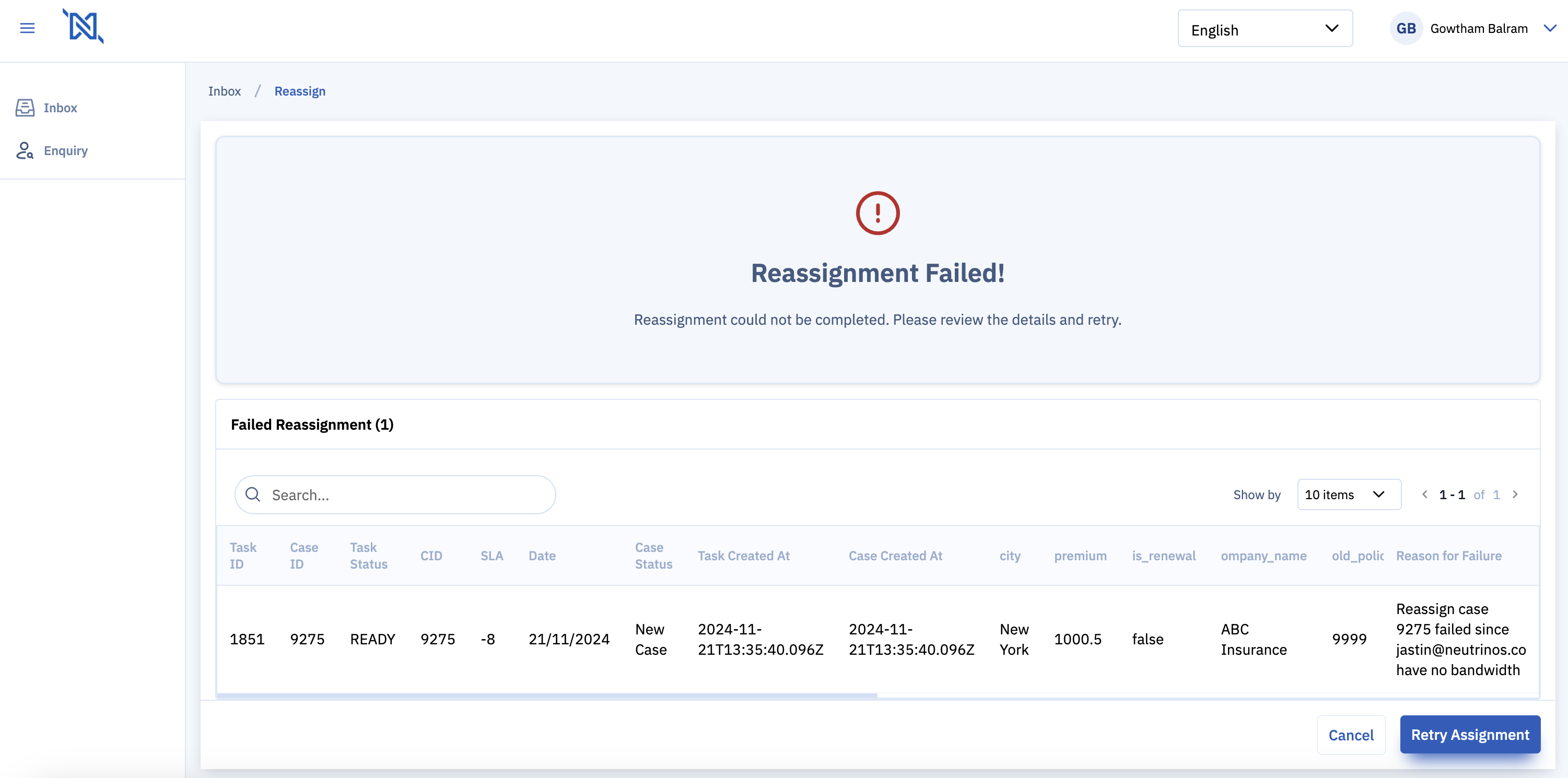
- If re-assignment fails, an error message will show the reason for failure with an option to retry the re-assignment.
**How to Configure Language Translation for Re-assignment Content**
To ensure that your re-assignment journey content is accessible to users in different languages, follow these steps to update the translation keys:
**1. Access Case Designer:**
- Log in to the Case Designer.
**2. Navigate to Language Settings:**
- Proceed to the Config section and select the Language option.
**3. Update Translation Keys:**
- Modify the keys related to the re-assignment journey with appropriate translated values for each key. Below are the keys that need updating:

| Key | Default Value |
| --- | --- |
| `default-reassign-comment` | Comment |
| `default-reassign-commentPlaceholder` | Enter your comment here… |
| `default-reassign-buttonPrevious` | Previous |
| `default-reassign-buttonCancel` | Cancel |
| `default-reassign-buttonConfirm` | Confirm |
| `default-reassign-buttonNext` | Next |
| `default-reassign-beforeReassignment` | Assignment |
| `default-reassign-beforeReassignmentSummary` | Summary |
| `default-reassign-cancelConfirmationMessage` | Are you sure you want to cancel the reassignment process? |
| `default-reassign-bulkReassignmentTableTitle` | Bulk Reassignment: Failed Allocations |
| `default-reassign-buttonRetryAllocation` | Retry Allocation |
| `default-reassign-buttonBackToInbox` | Back to Inbox |
| `default-reassign-buttonBulkAssign` | Bulk Assign |
| `default-reassign-buttonBulkAssignColumn` | Bulk Assign Column |
| `default-reassign-buttonClearSelection` | Clear Selection |
| `default-reassign-buttonAssign` | Assign |
| `default-reassign-bulkReassignmentBannerTitleInProgress` | Bulk Reassignment in Progress |
| `default-reassign-bulkReassignmentInProgress` | Reassignment is ongoing. |
| `default-reassign-bulkReassignmentInProgressSubtitle` | Please wait until the reassignment is completed. |
| `default-reassign-bulkReassignmentComplete` | Reassignment Complete |
| `default-reassign-bulkReassignmentCompleteSubtitle` | All tasks have been successfully reassigned. |
| `default-reassign-bulkReassignmentFailed` | Reassignment Failed |
| `default-reassign-bulkReassignmentFailedSubtitle` | Some tasks could not be reassigned. |
| `default-reassign-bulkReassignmentBannerTitleComplete` | Reassignment Completed Successfully |
| `default-reassign-bulkReassignmentBannerMessagePartiallyComplete` | Some tasks were not reassigned. Please review the table for details. |
| `default-reassign-bulkReassignmentBannerTitlePartiallyComplete` | Partial Reassignment Complete |
| `default-reassign-bulkReassignmentBannerMessageFailed` | All tasks failed reassignment. Please retry or review the errors. |
| `default-reassign-bulkReassignmentBannerTitleFailed` | Reassignment Failed |
| `default-reassign-snackbarReassignmentCancelMessage` | Reassignment process has been canceled. |
| `default-reassign-snackbarReassignmentCancelHeader` | Reassignment Canceled |
| `default-reassign-title` | Reassign Tasks |
| `default-reassign-panelHeader` | Bulk Reassignment |
| `default-reassign-panelHeaderSingle` | Single Task Reassignment |
| `default-reassign-panelSubtitle` | Select users for bulk reassignment of tasks. |
| `default-reassign-panelSubtitleSingle` | Assign the selected task to a user. |
| `default-reassign-infoBarMessage` | {{ totalSelectedCases }} tasks have been selected for reassignment. |
| `default-reassign-tooltipBandwidth` | Remaining Bandwidth |
| `default-reassign-tooltipDailyLimit` | Remaining Daily Limit |
| `default-reassign-snackbarError` | Error occurred during reassignment. |
| `default-reassign-snackbarAssigneeError` | Please ensure all tasks have been assigned. |
| `default-reassign-owned` | Owned Tasks |
| `default-reassign-beforeReassignmentTitle` | Before Reassignment Summary |
Ensure each key is accurately translated to maintain the clarity and effectiveness of the communication throughout the re-assignment process.
---
### Author:  [@shiv](https://community.neutrinos.com/u/shiv)
#### Post date: [November 22, 2024, 4:21am UTC](https://community.neutrinos.com/t/how-to-enable-and-perform-task-re-assignment-for-group-tasks-or-team-tasks/126/2 "2024-11-22T04:21:13Z")
Are there audits created for re-assignment? Can tasks be reassigned to members of another group?
---
### Author:  [@Gowtham\_Balram](https://community.neutrinos.com/u/Gowtham_Balram)
#### Post date: [November 22, 2024, 4:30am UTC](https://community.neutrinos.com/t/how-to-enable-and-perform-task-re-assignment-for-group-tasks-or-team-tasks/126/3 "2024-11-22T04:30:30Z")
@shiv - Yes, audit is created for every re-assignment.
No, a group assignment is only possible to users part of the group.