# How to access custom properties of a component within a flow
**URL:** https://community.neutrinos.com/t/how-to-access-custom-properties-of-a-component-within-a-flow/845
**Category:** Training, Academy & Certifications
**Tags:** neutrinos-ssd
**Created:** [June 13, 2025, 3:08pm UTC](https://community.neutrinos.com/t/how-to-access-custom-properties-of-a-component-within-a-flow/845 "2025-06-13T15:08:16Z")
**Posts on this page:** 3
**Page:** 1
### Author:  [@LavanyaS](https://community.neutrinos.com/u/LavanyaS)
#### Post date: [June 13, 2025, 3:08pm UTC](https://community.neutrinos.com/t/how-to-access-custom-properties-of-a-component-within-a-flow/845/1 "2025-06-13T15:08:16Z")
Hi Team,
I am working with the stepper component. I am trying use Next button’s onClick(pick a flow) property to set the Step’s custom property [completed]: isCompleted to true, so that it can navigate to next step only on Next button click.
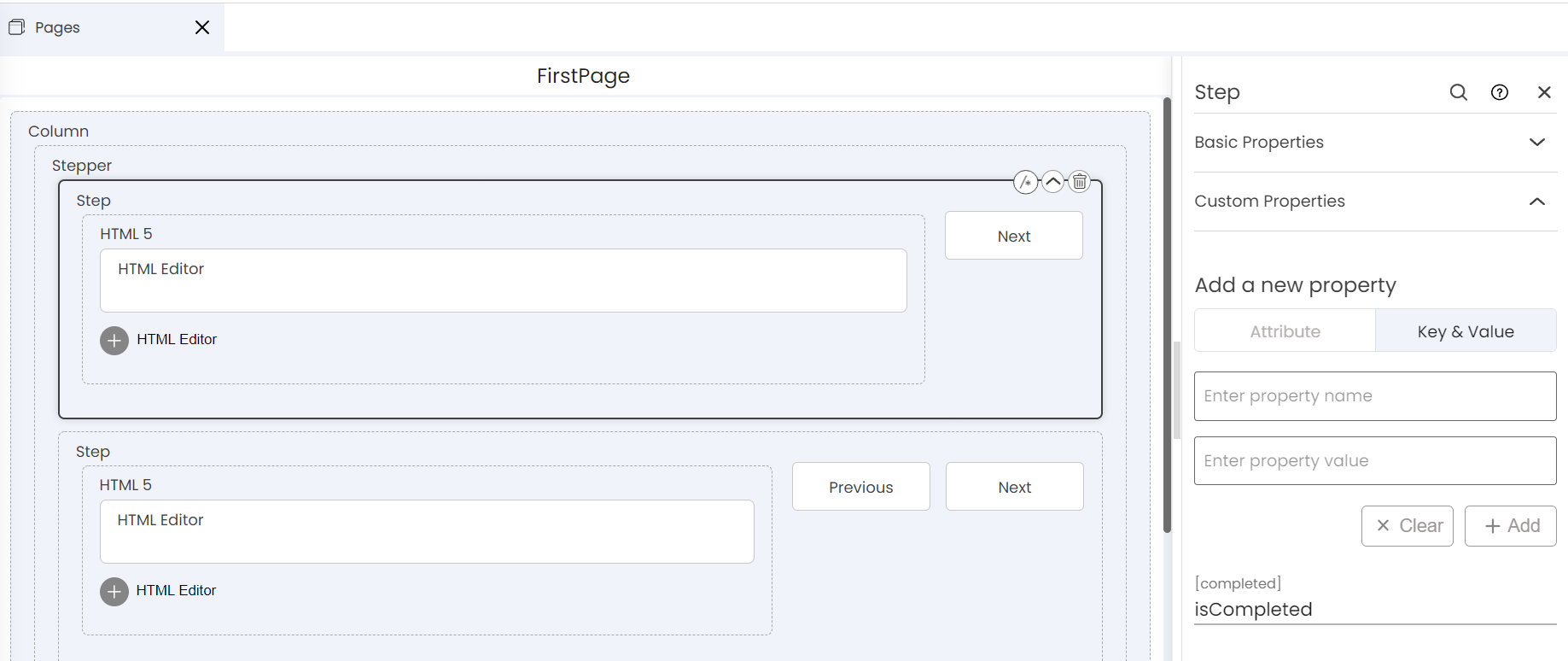
How do we access the “isCompleted” custom property here in the flow?
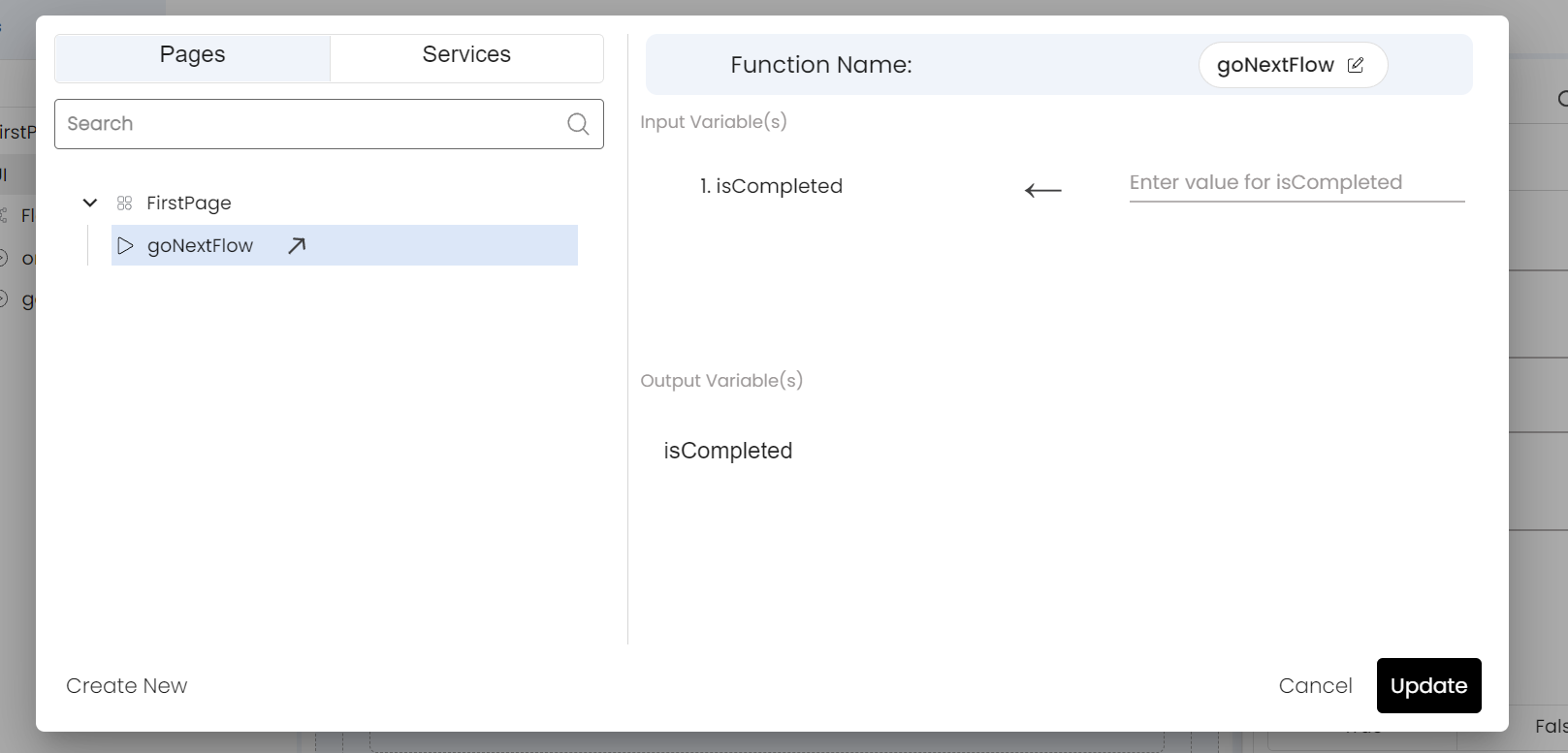
Can you please guide me regarding this?
Thanks,
Lavanya S
---
### Author:  [@Shamnad\_KS](https://community.neutrinos.com/u/Shamnad_KS)
#### Post date: [June 13, 2025, 5:05pm UTC](https://community.neutrinos.com/t/how-to-access-custom-properties-of-a-component-within-a-flow/845/2 "2025-06-13T17:05:29Z")
Hi @LavanyaS ,
If you’d like to control the stepper using a button, you can add a custom property (Attribute) to the **Stepper component** itself (not on individual steps), as shown in the screenshot below.
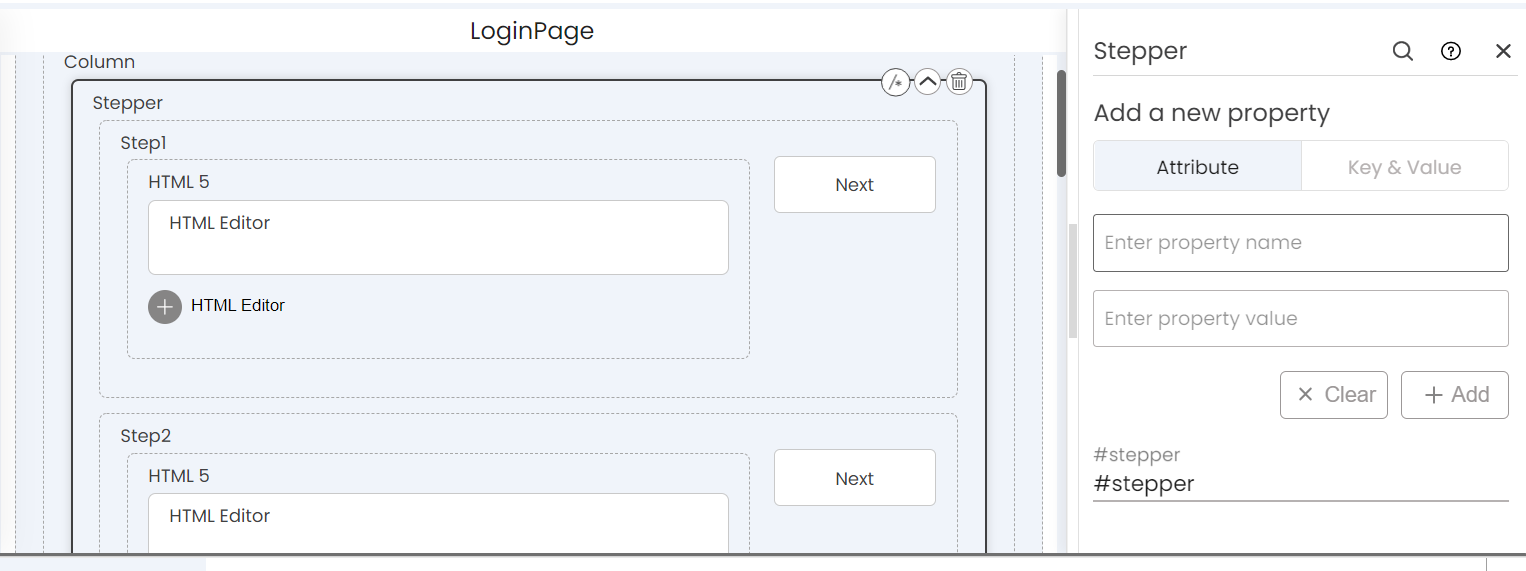
Once that’s configured, you can manage the step navigation through the button’s `onClick` flow using the following functions:
- `this.stepper.next();` → To move to the next step
- `this.stepper.previous();` → To go back to the previous step
- `this.stepper._selectedIndex;` → To retrieve the current step index
These functions allow you to programmatically control the stepper’s behavior.
Let me know if anything is unclear.
---
### Author:  [@LavanyaS](https://community.neutrinos.com/u/LavanyaS)
#### Post date: [June 19, 2025, 6:15am UTC](https://community.neutrinos.com/t/how-to-access-custom-properties-of-a-component-within-a-flow/845/3 "2025-06-19T06:15:24Z")
Hi Shamnad,
Thank you for the solution. I will try this out.